
Dying Light: "Roux Laboratory"
Roux Laboratory is a single player Dying Light custom level. Players need to find a way to escape and avoid zombie attacks and explosions. At the same time, players can explore and understand the story of the place and its past. The level will guide the player to find the way out through various dynamic environments such as explosions, collapse walls, and other hints.
This project mainly tested my ability as a technical artist.
• Walkthrough about 15 minutes.
• An explorable interior chemical company.
• Five dynamic scenarios, one large-scale dynamic environment.

Postmortem
What went well?
-
This project mainly tested my ability as a technical artist. I used special effects and scene breakage to convey where the player needed to go, and flexible code and trigger boxes to activate dynamic environments.
-
The effect of the large-scale dynamic environment was very good, and the player experience and immersion were also very good.
What went wrong?
-
In the middle of development, my focus was not clear yet, and I was only focused on the production of the different dynamic environments. I changed course to focus more on using those dynamic environments to convey where the player needed to go.
-
The level is a little too difficult and can force the player to move forward without leaving room for them to backtrack and explore. For example, the player cannot return to the original area after moving forward.
What I learned?
-
I learned how to use dynamic environments to serve as level guidance for players.
-
Make vertical spaces feel more flexible so players can feel like they are in a real space.
Overview Map
In Roux Laboratory, players need to find a way to escape and avoid zombie attacks and explosions. At the same time, players can explore and understand the story of the place and its past. The level will guide the player to find the way out through various dynamic environments such as explosions, collapse walls, and other hints.

Why I Focused Dynamic Environment
There are many successful cases of using dynamic environments to guide players in commercial games, such as the Tomb Raider series and the Uncharted series. Dynamic environments can capture the player's attention in complex environments and make the game world feel more real to the player. Creating this experience requires a combination of technology and aesthetics.

Level Topdown View
Goals
My design focuses on the use of dynamic environments to convey where players need to go, using a variety of elements and techniques to achieve the goal of making the path forward clear. I wanted to create a large-scale dynamic environment that immerses players and has a sense of urgency. Finally, I want my dynamic environments to feel real and reasonable to make sure I do not break player immersion.
Dynamic environments come in a variety of types that can be used in the game to convey the critical path to players, so that players can understand dangers, obtain information, or get guidance. In my level, I listed the functions which I wanted to accomplish. After my research and observations, many games can effectively use dynamic environments to achieve these functions.
-
Block a Path
-
Create a New Path
-
Using NPCs to make scene looks reasonable
-
Create Large-scale Dynamic Environments
Block a Path
The dynamic environment can be used to convey the way when the player cannot directly see the goal or the target route.
For example, using a wall collapse to block the path can convey to players to choose another path.
Players can try to go through the collapsed space, but they will get hurt or be blocked.
In the figure below, the blue arrow represents the player's path of movement, the red explosion represents the dynamic environment triggered, and the green circle represents the target.
1.

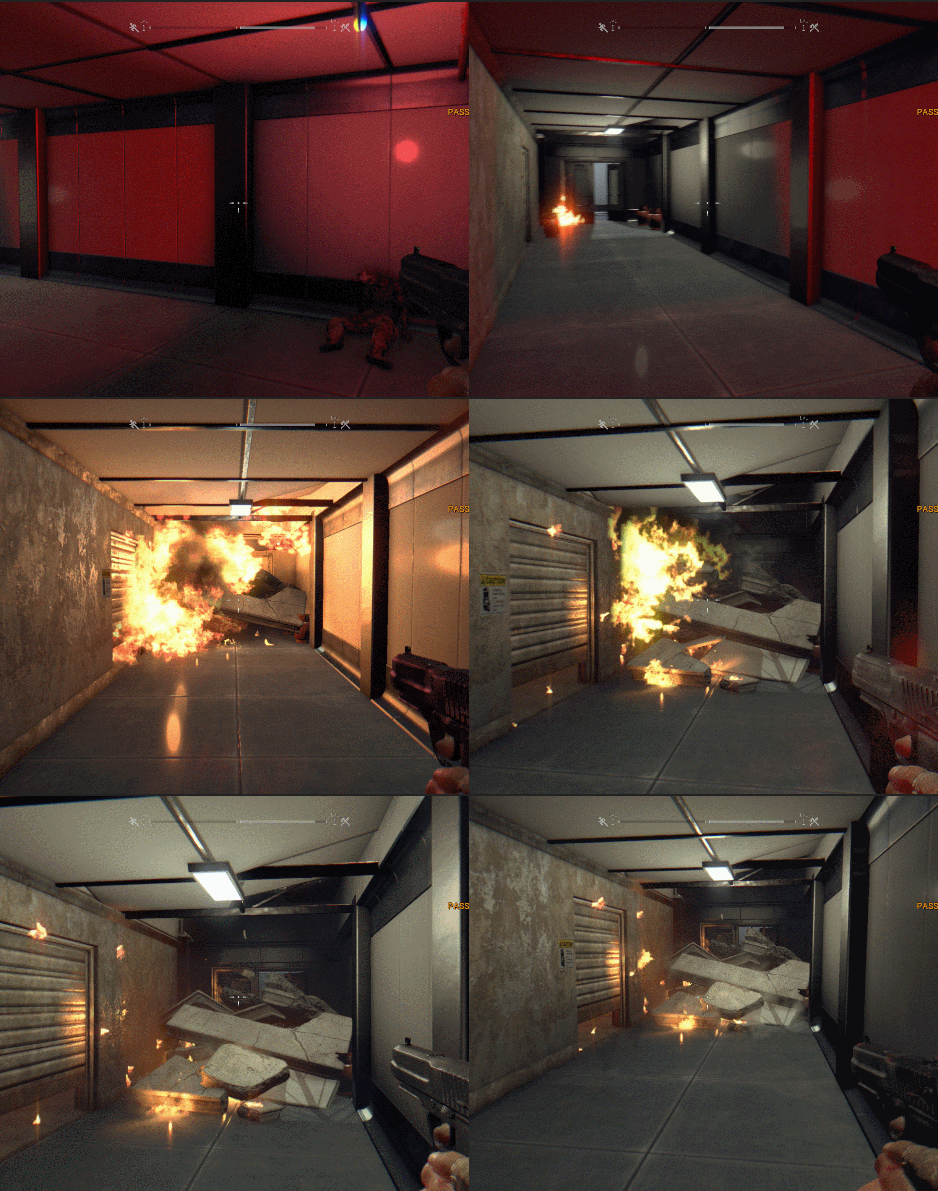

During the development process, I used two trigger boxes to activate the explosion effect, sound effect in stages, also the dust effect and sound effect of the concrete collapsing from the roof. This makes the dynamic environment look more realistic.
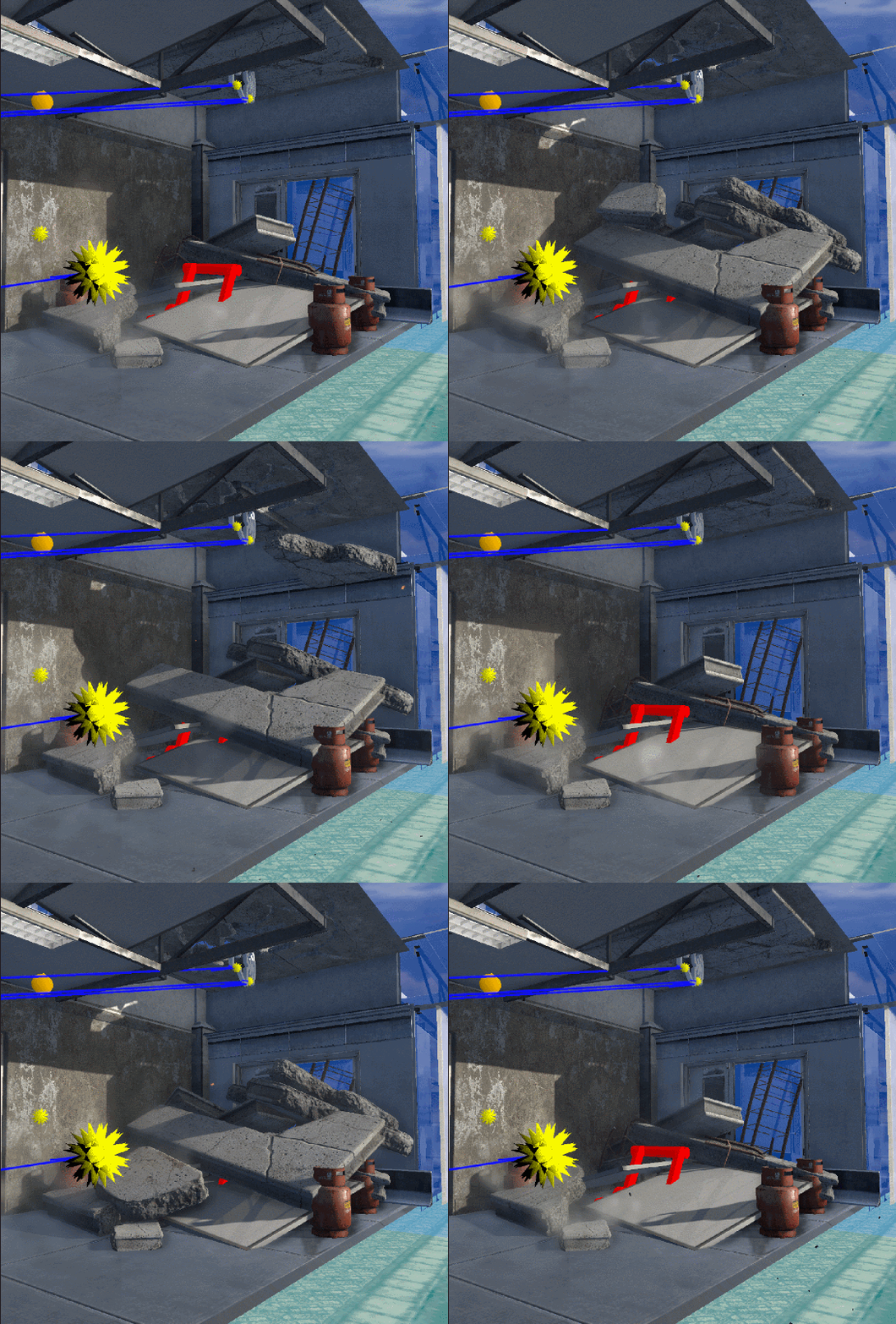
When creating the roof collapse effect, I used the cinematic system to animate the concrete falling one after another. In order to reduce the workload of the animation, I enabled a layer of concrete at the bottom at the moment of the explosion, which not only saves time, but also completely blocks the doorway.
Dynamic environments would work best if the engine supports the destroying system, making the effects look more natural.

Create a New Path
Since dynamic things are more attractive than static things, the route generated by the dynamic environment will attract the player's attention more than the route which was already there.
2.

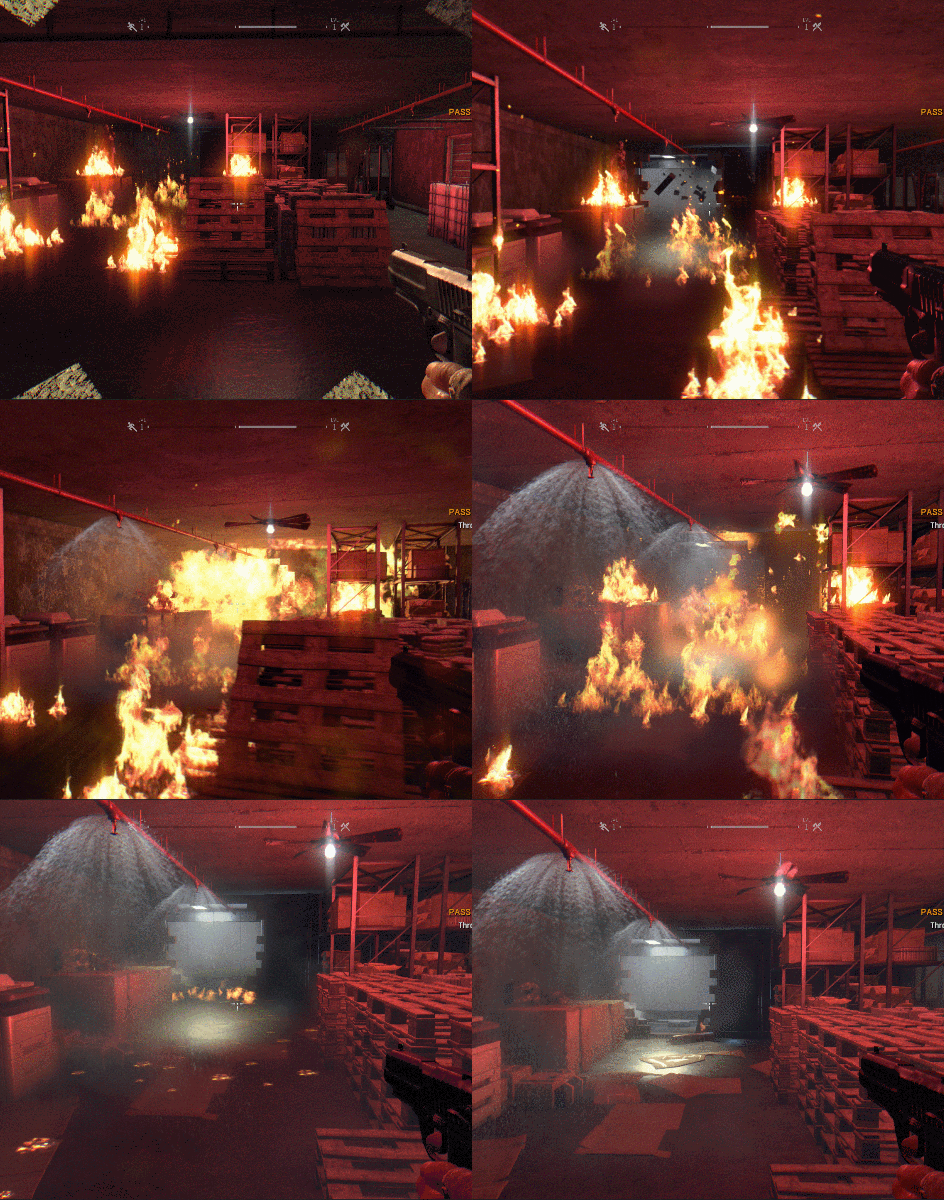

From the visual side, when the player just entered the scene, I implemented flame effects, and set the hazard areas to prevent the player from continuing forward.
Then, I used an explosion to break down a wall and an automatic sprinkler to extinguish the flames and show the path the player can pass.
Since there are not many wall breaking effects in the game, I used the animation of the demolisher hitting the wall to trigger the wall breaking. At the same time, I disabled the demolisher just after it triggered the animation to prevent players from seeing it.
A dynamic environment is not created out of thin air. In the game, it needs a ‘reason’ to trigger it to make it look reasonable.
Natural Factors: Collapse and explosion caused by gravity, water, fire, and electricity.
NPC Factors: Destruction caused by humans or monsters.
System Factors: Systems that are triggered indirectly or automatically, such as alarms, emergency fire extinguishing devices.
The player's initial room is a confined space. I designed the explosion of the fuel tank outside the door to break its lock. However, if I want to make the fuel tank explosion sound reasonable, I need to set a "reason". Therefore, I set up an animation outside the door of a human and a zombie fighting. The human shot the zombie with a gun and then the bullet detonated the fuel tank. This expression not only rationalizes the dynamic environment, but also explains the dangerous environment here. This is the use of natural and NPC factors to make the dynamic environment reasonable.

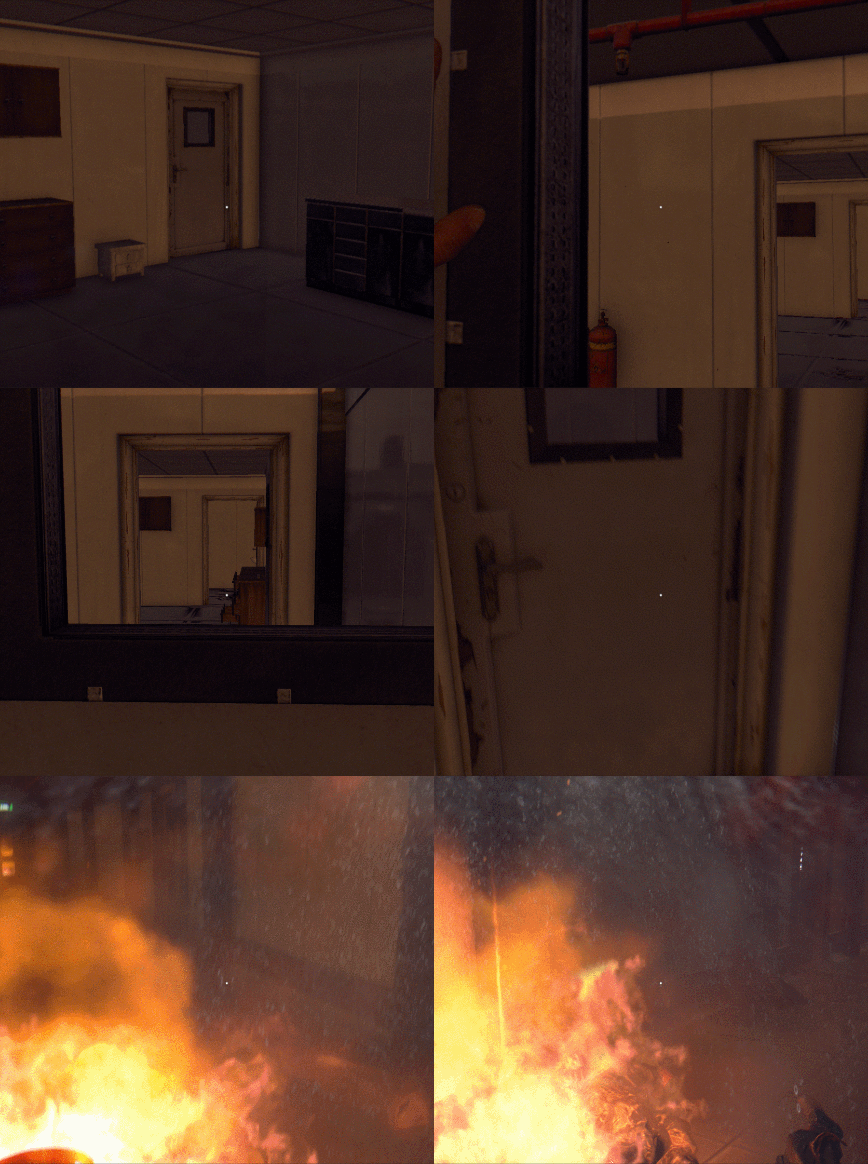
Create a New Path
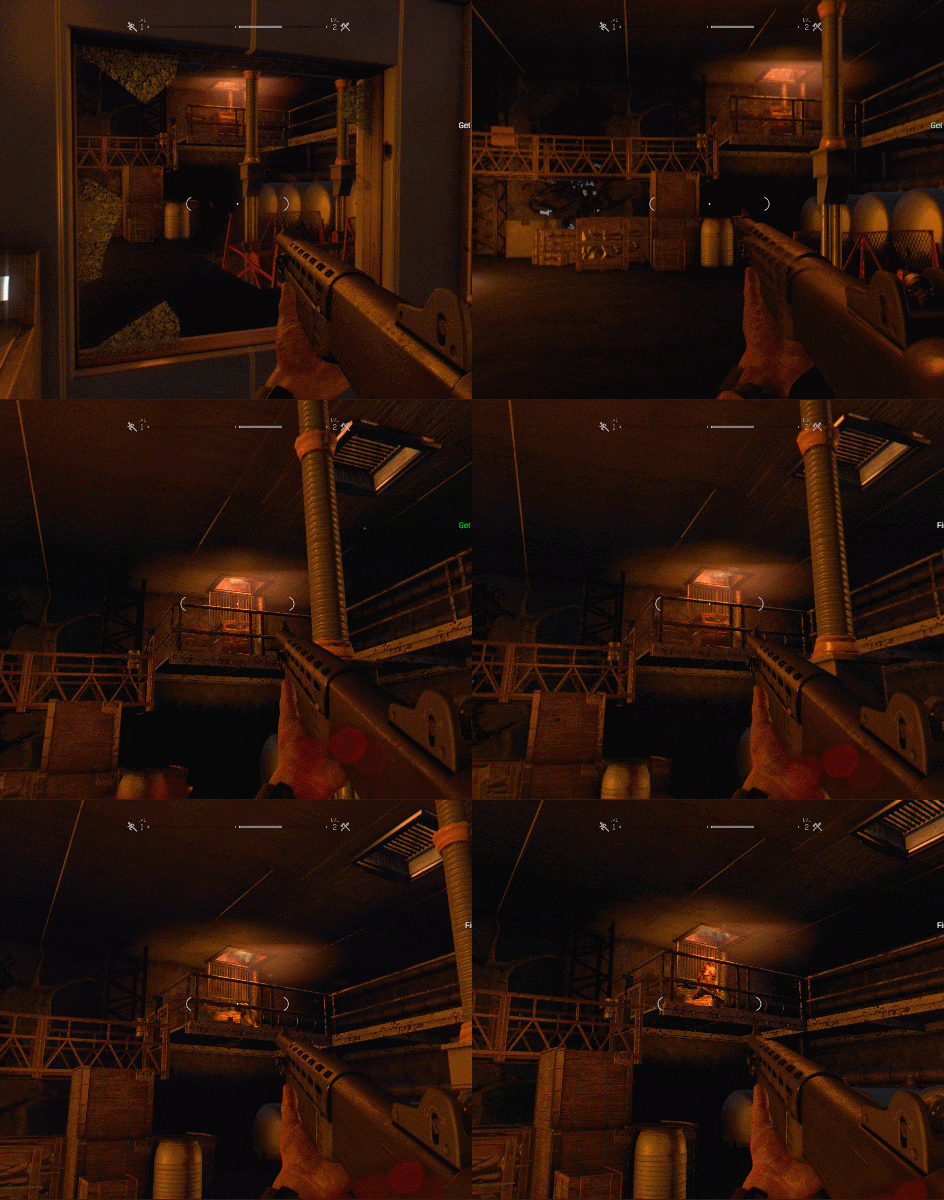
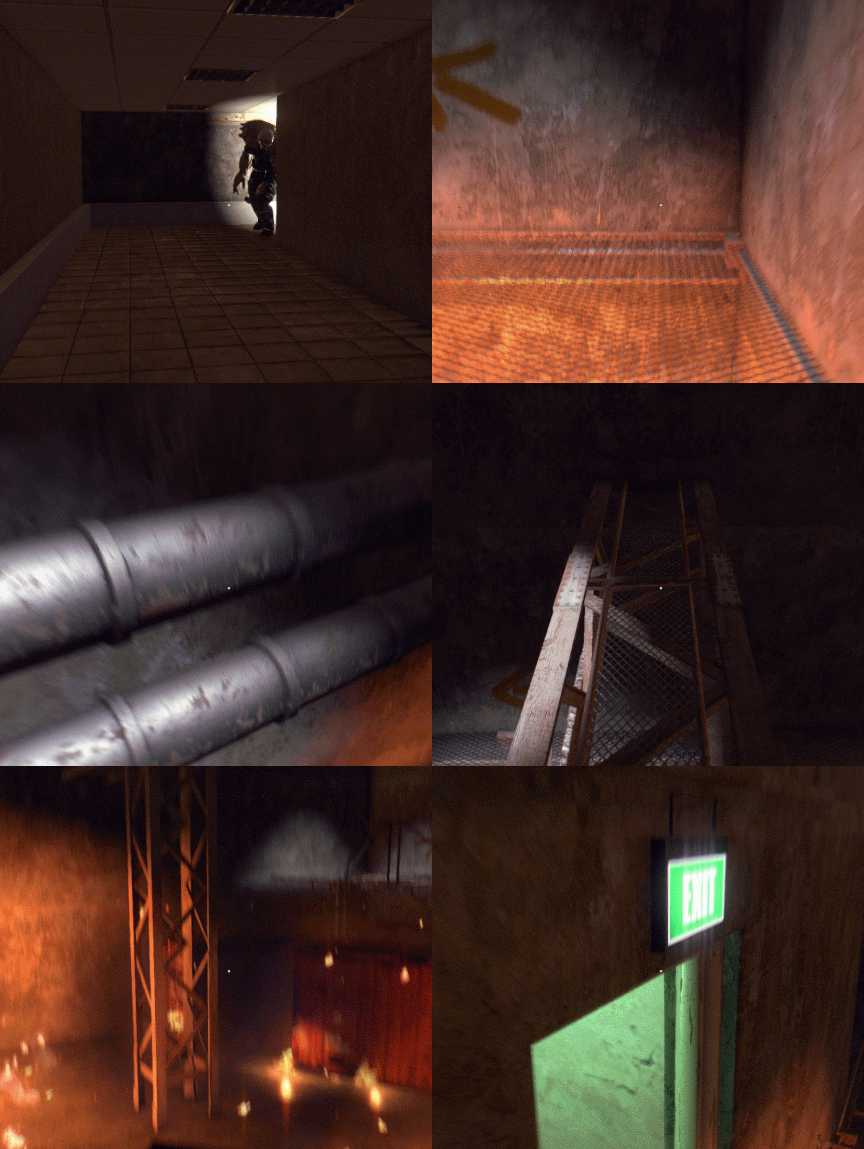
I also used more NPCs to help facilitate dynamic events. Here, I first used the lights to attract the player's attention, then the running sound from the pipes, and finally the zombie kicked open the ventilation shaft and jumped out.
I used this to tell the player that there is a "path" this way!
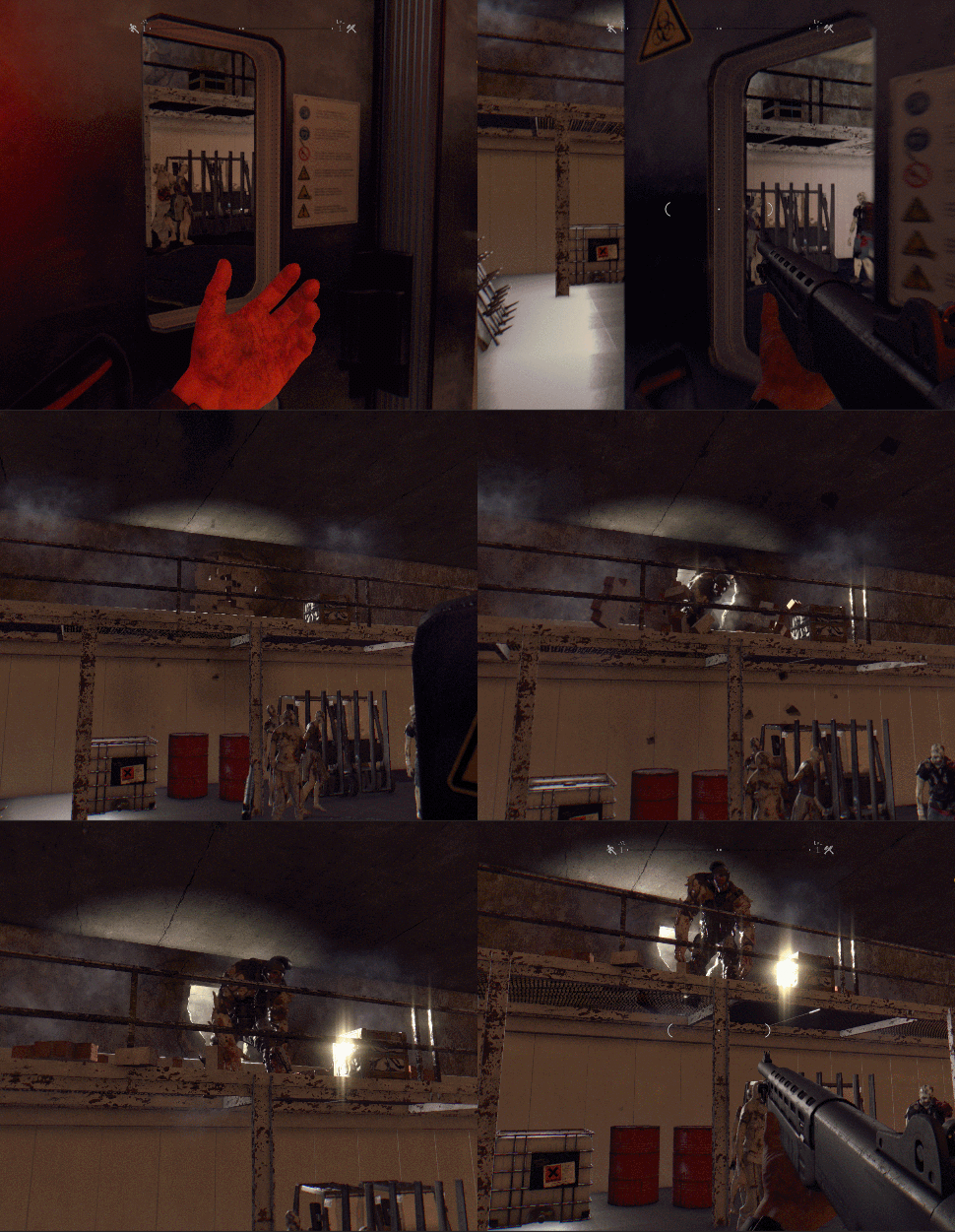
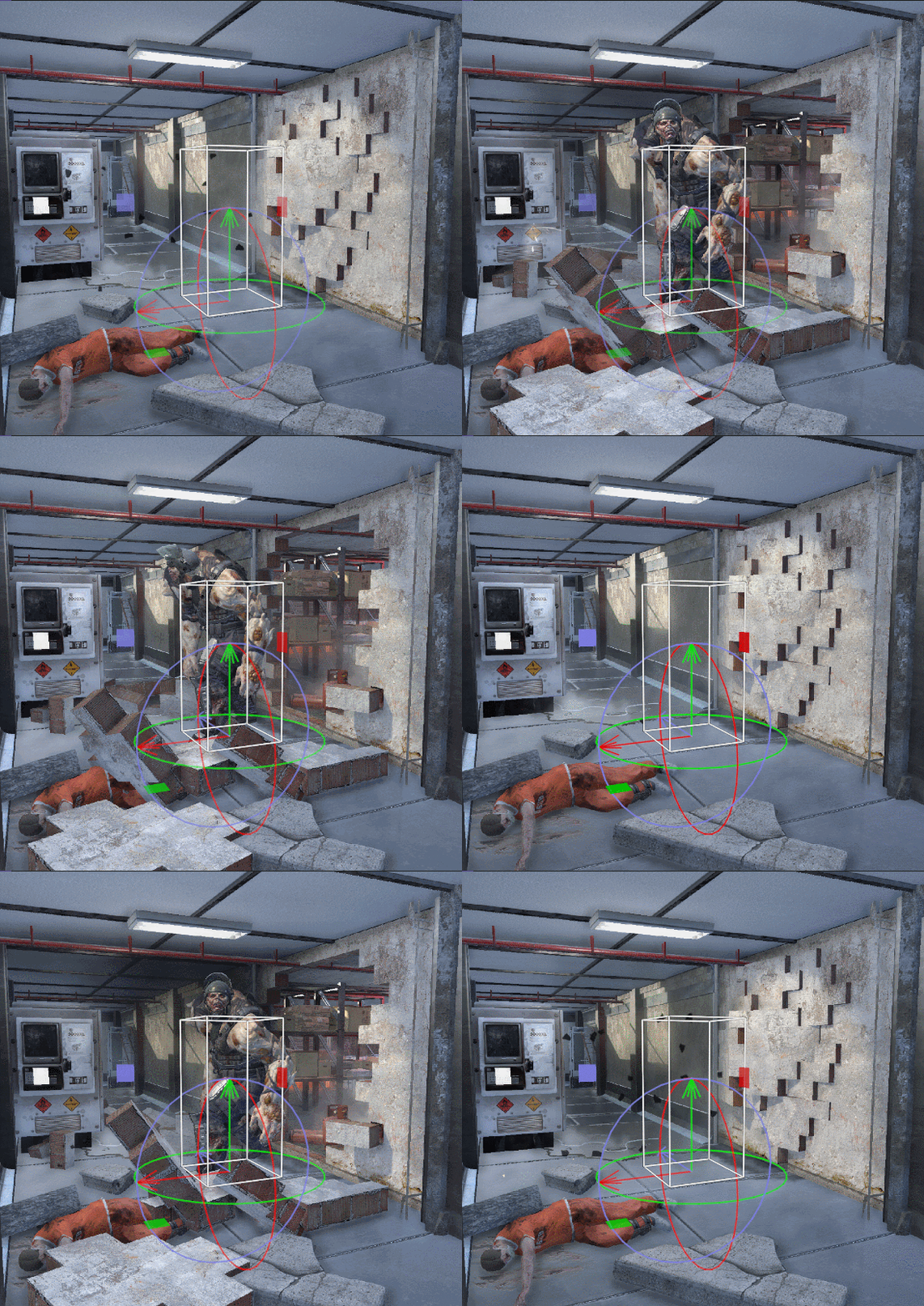
In the same way, I used big monsters to break through the walls and scream to attract the player's attention.
The bright light showing the hole is the player's goal, but you have to defeat or bypass this monster first. This increases tension and allows the player to choose which type of gameplay they want to use.
Since there are two paths the player can select, I want to convey to the player to use the left main path through the window. So I used a zombie breaking through the window, and smoke and light to attract player to left.
For comparison, for the straight corridor I used a red light siren and two zombies to signal danger. There is only one zombie in the window, and I used yellow lights to make the player feel relatively safe compared to the red light ahead.
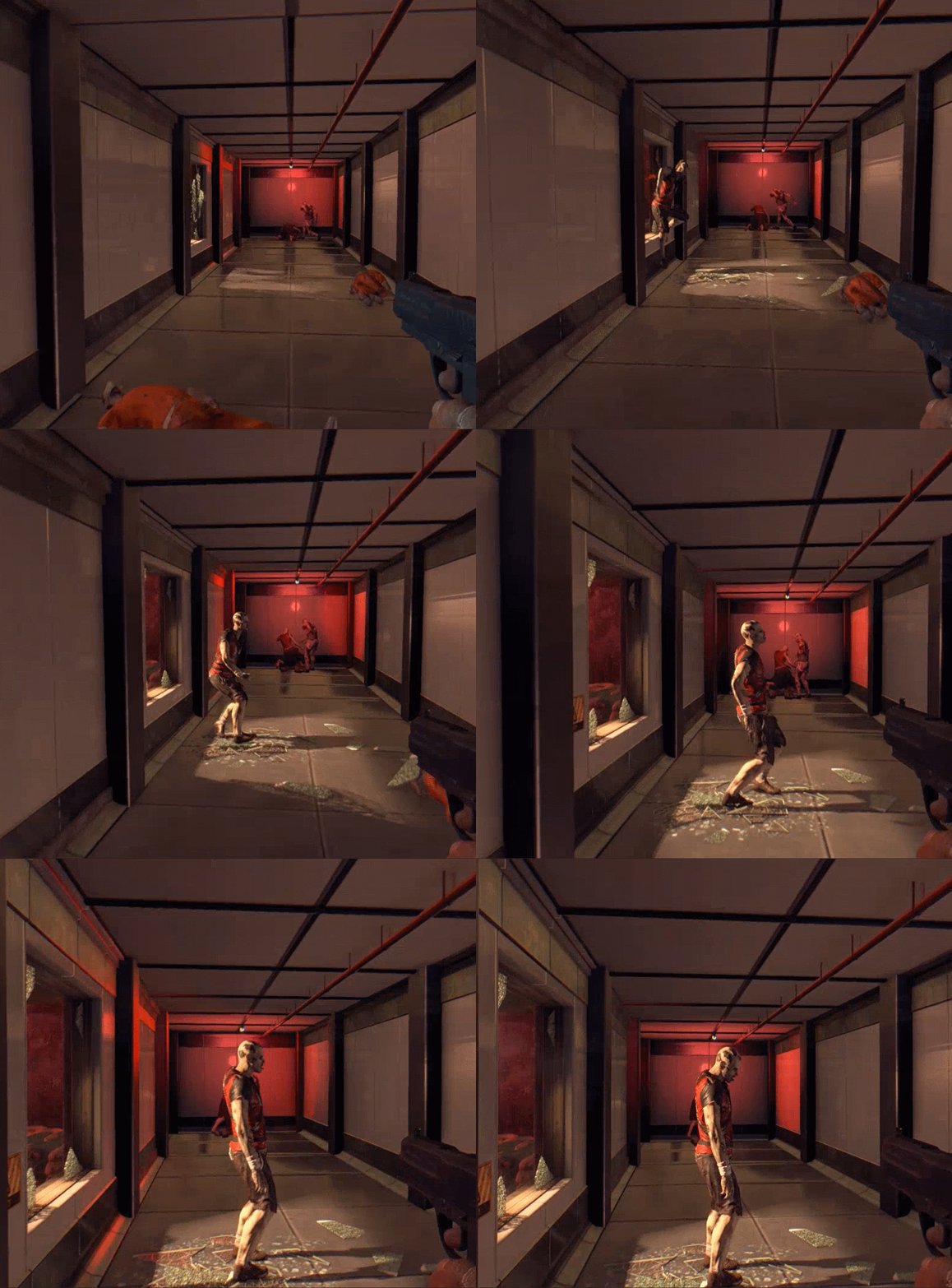
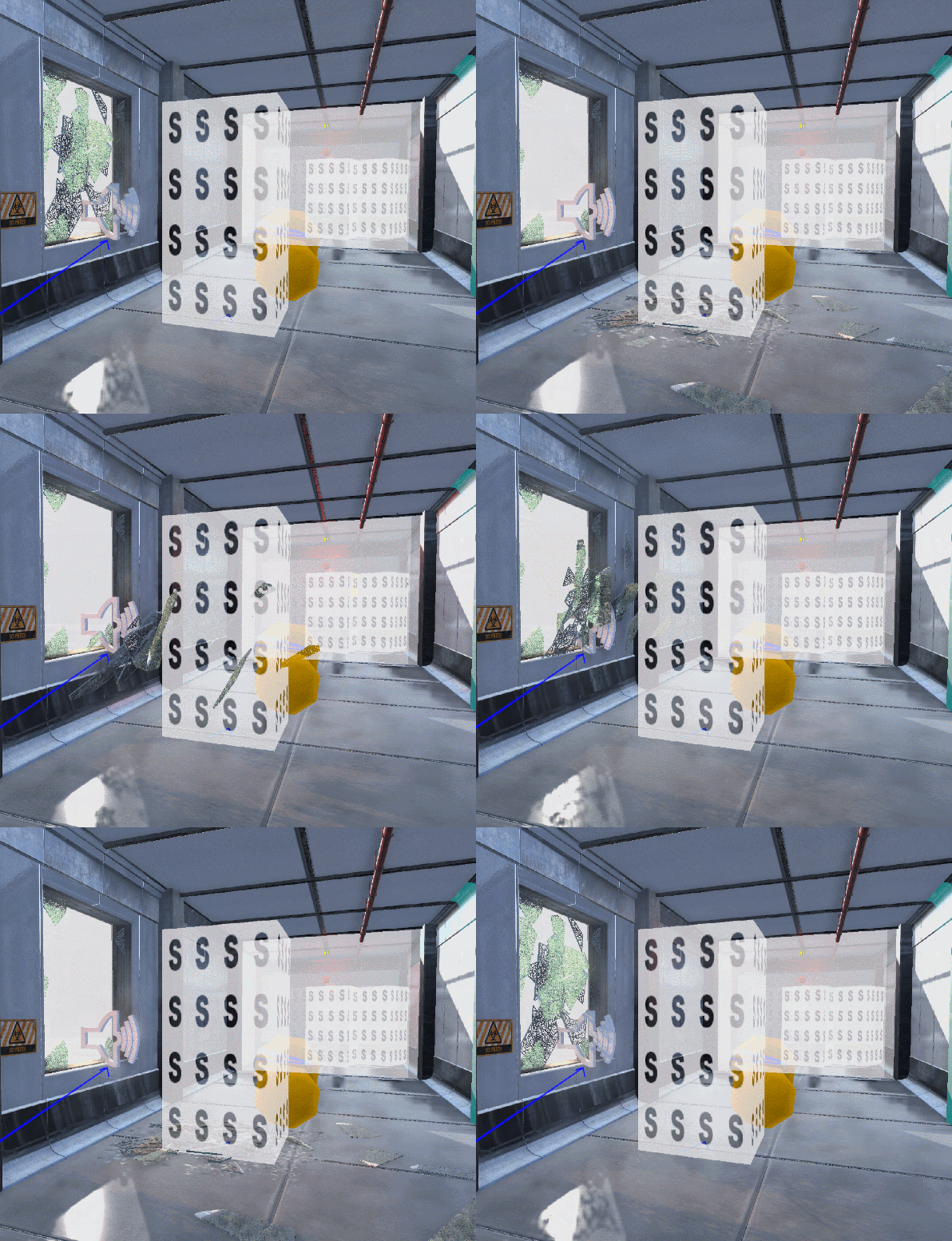
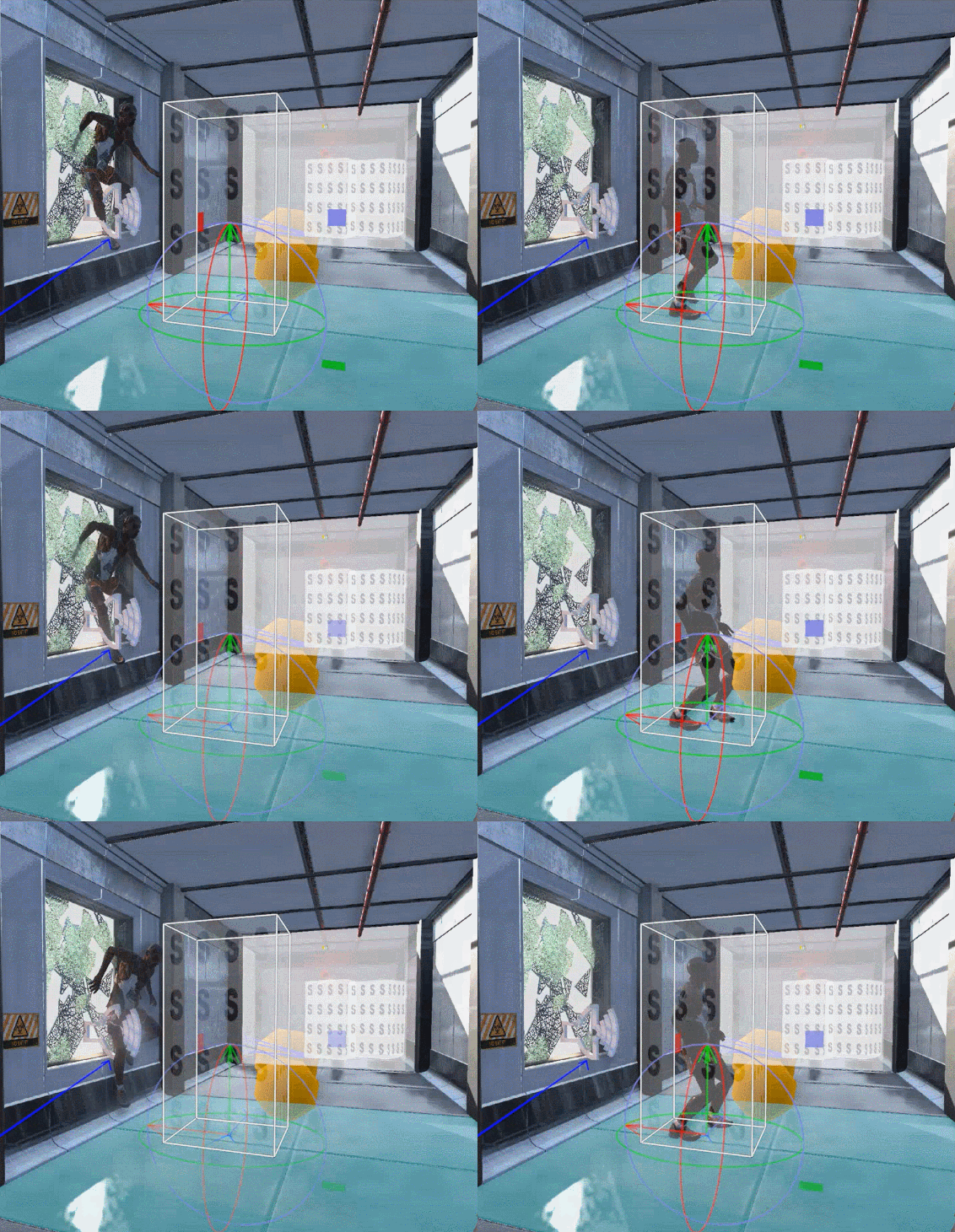
Since Dying Light Developer Tools don't have a suitable destructible system to make the glass shattering effect, I used the cinematic system to animate the glass shards one by one.

Likewise, using zombies to break glass makes the glass breaking seem plausible. I used the zombie's initial animation to make it jump out of the window.
The large-scale dynamic environment enhances the player's immersion through the surrounding area, which uses a lot of special effects and some cutscenes to attract the player's attention, and achieve the function of guiding the player or warning the player.
For the large-scale dynamic environment in my level, I chose to use a large number of flames as natural factors to trigger various dynamic events, and at the same time make the player more immersed in a tense and dangerous atmosphere. Large zombies force the player to enter the burning factory area. In this area, I used explosions, collapsing walls, and dynamic lights to guide the player to successfully escape the area.

I set the bottom of the level to be a damage zone that the player will die if they fall into. The route in this space is a zigzag with vertical structure, maximizing the use of the space.
In order to design an interesting jumping puzzle, I set some Quick Time Events (QTEs), and the player needs to quickly judge the next action. For example, after the player steps on the catwalk it will collapse after a few seconds.
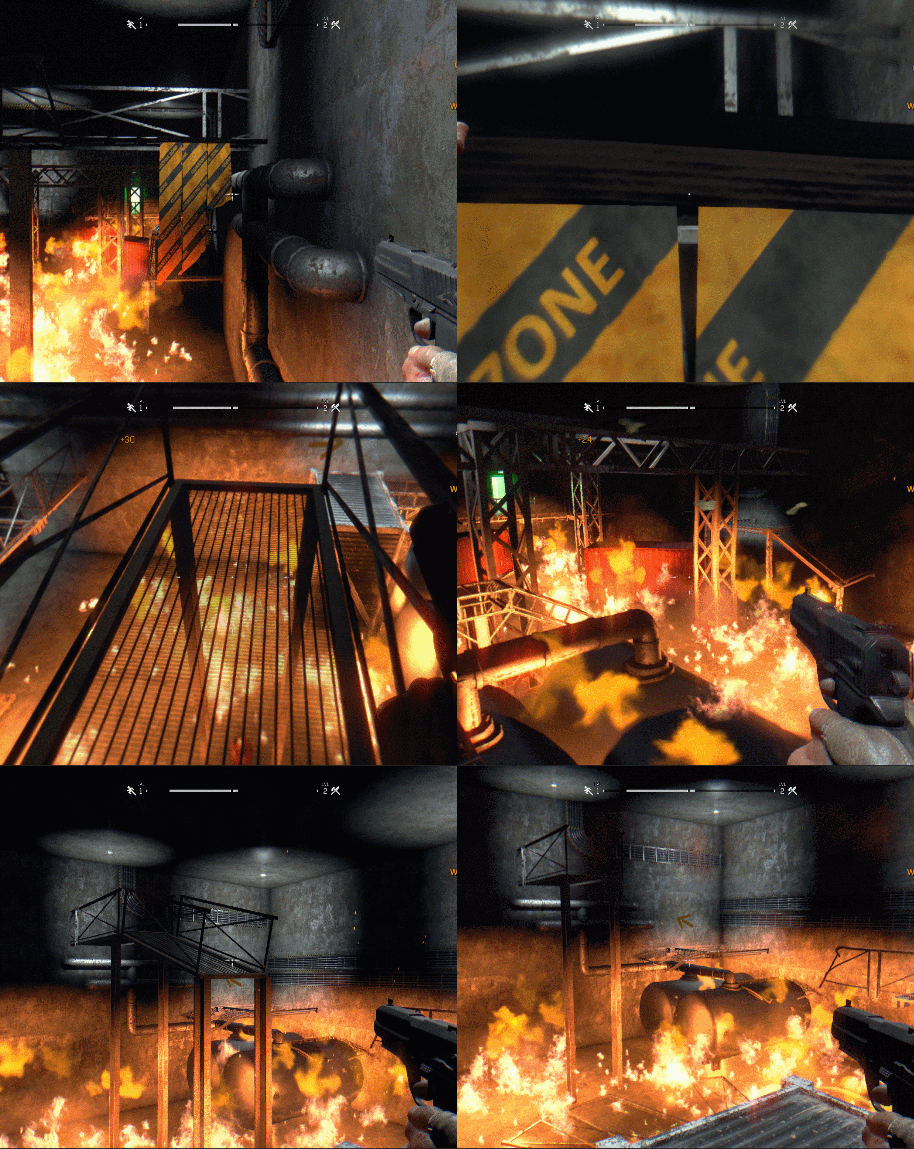
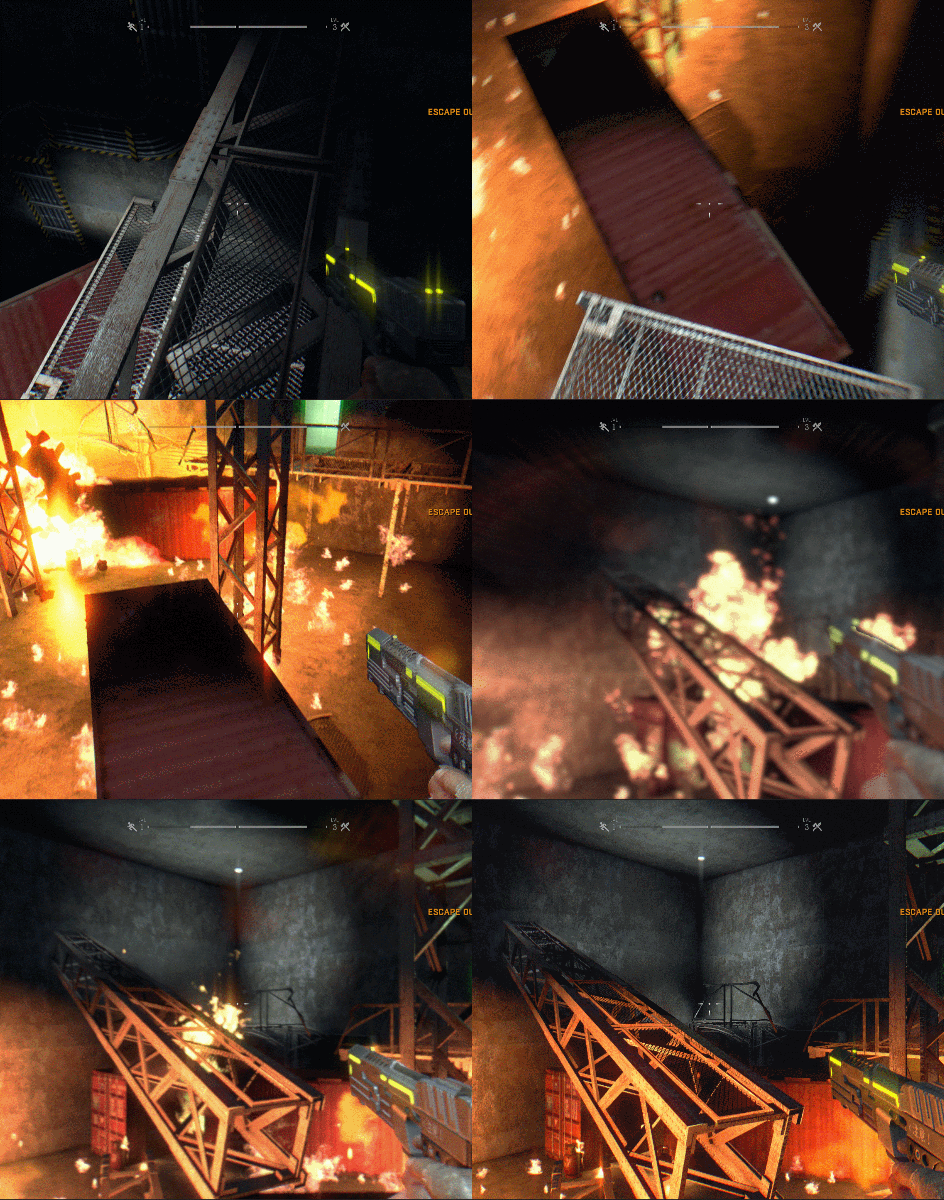
Players need quick reflexes, so Quick Time Events need better conveyance. I animated the iron frame collapsing to give the player a clear idea of where to go next. Also, I used static conveyances like yellow warning tape, pipes, and decals.


